Your match.
Your scores.
All in one place.
Five scoring modes for pool and snooker. See the score on iPhone, make quick changes on Apple Watch, and keep your results after the match.
 Scan with your iPhone
iOS 17.6+ · English & Chinese
A mode for the way you play.
From eight-ball to snooker, and two-player matches to three-player chase. Track the scores and stats that matter to your game.
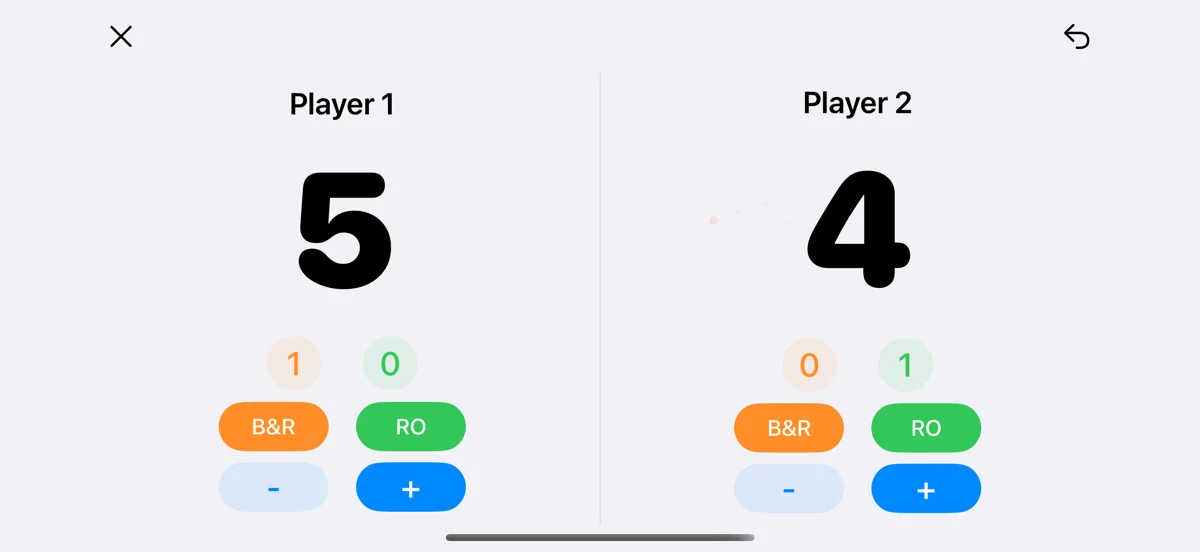
Chinese eight-ball scoring
Add or subtract scores, record break-and-runs and run-outs, and undo mistakes.
Explore this mode ↗Snooker scoring
Record 1–7 point pots and 4–7 point fouls, with separate frame scores and frames won.
Explore this mode ↗Nine-ball scoring
Track scores, break-and-runs, nine on the break and fouls in your nine-ball matches.
Explore this mode ↗Nine-ball chase scoring
Configure big gold, small gold, win and foul values for your chase matches.
Explore this mode ↗Three-player chase scoring
See all three players and track playing order, golden nine and let-play fouls.
Explore this mode ↗Wrong tap? Undo it.
Restore scores, statistics and playing order together. If saving fails, the app tells you rather than treating the action as complete.
Improved saving and syncing in 1.6Keep score from your wrist.
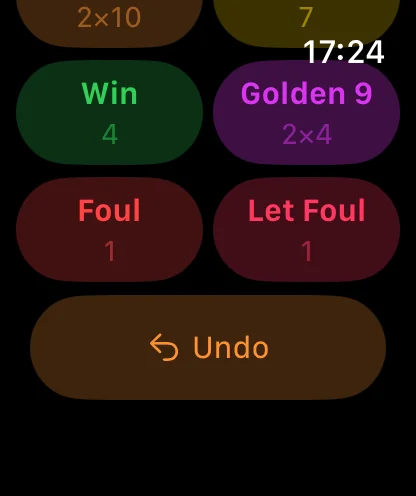
Controls follow the active game mode, with clear player selection and scores. Snooker pots and fouls have separate controls.
- Direct +1 / −1, break-and-run and run-out controls
- Snooker pots from 1–7 and fouls from 4–7
- Undo support, offline and pending-action indicators
Check the value.
Tap to score.
Keep more than the final score.
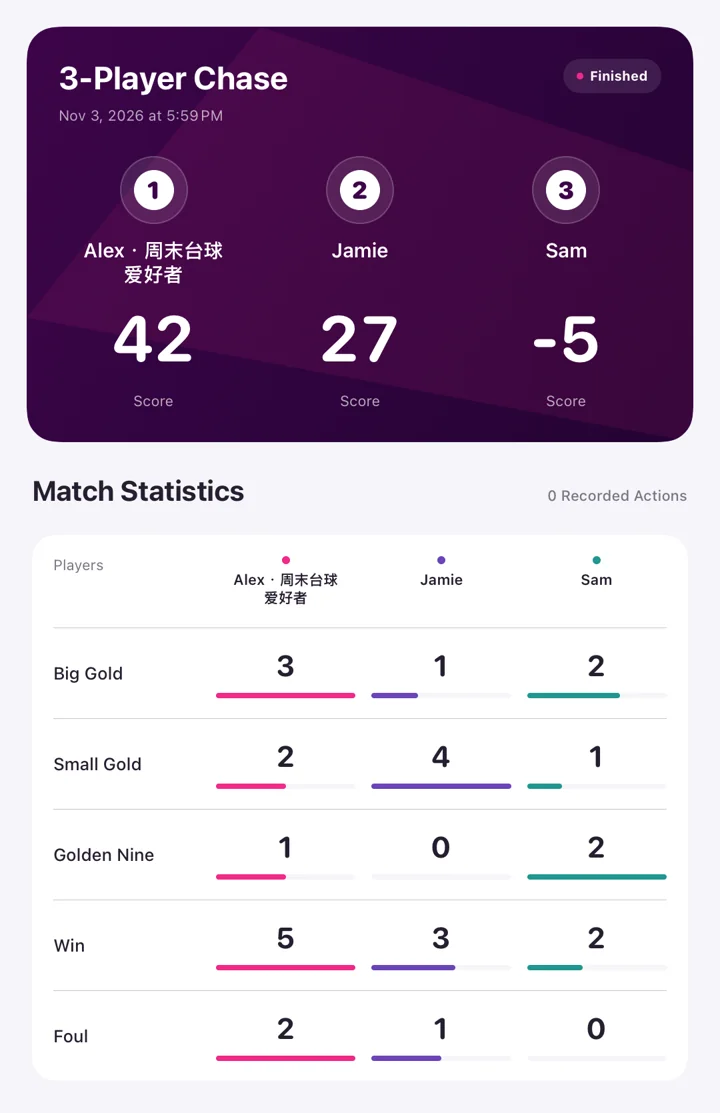
Create a clear result image, save it to Photos or share it with other players. Export one match or your full history for your own records.
- Game mode, players, scores and statistics in one image
- CSV tables for reviewing and organising results
- JSON details with match settings and action history
Your match data stays on your device.
No account and no score or player-name uploads to our servers. Photo access is requested when you choose to save a result image.
A few things to know.
Do I need an account or an internet connection?
No account is required. Everyday scoring and match history are stored locally and work offline. The Apple Watch companion needs a connection to your iPhone.
Which devices are supported?
BiliScore Plus supports iPhone and iPad, with an Apple Watch companion. It requires iOS / iPadOS 17.6 or later and watchOS 11.5 or later. Check the App Store for current compatibility.
Can I save a match image to Photos?
Yes. Open the share menu in match history and choose Save to Photos. Allow adding photos when prompted. You can also use the system share sheet.
Can I export my match data?
Export all matches from Settings or a single match from history. Exports include CSV tables and JSON details. Importing these files is not currently supported.
Are Chinese and English available?
Yes. Choose System, Simplified Chinese or English in Settings → Basic Settings → Language. Apple Watch uses its own system language.
Ready for your next match.
Open the App Store, or scan with your iPhone to get BiliScore Plus.
Download on the App StorePaid download. Pricing and availability are shown on the App Store.
Scan for the App Store